Base de Datos

Filters

Sort by:
Categories
Business area
Manufacturers
Categories
More

Access MySQL.

Access to MySQL is a small program that converts Microsoft Access databases into MySQL.

  • Assistant interface.
  • Transfer dice directly from one server to another.
  • Create a clearance file.
  • Select the tables to transfer.
  • Select the fields to be transferred.
  • Transfer senha-protected dice banks.
  • Supports shared security and user-level security.
  • Optional index transfer.
  • Optional transfer of records.
  • Optional transfer of standard values to field definitions.
  • Identifies and transfers automatic numbering field types.
  • Command Line Interface.
  • Easy installation, uninstallation and updating.


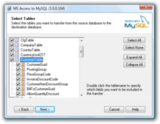
The destination database and the MySQL server connection settings are only specified as shown below. You will have the option to place the result in a clearance file instead of transferring it directly to another MySQL database.

You can specify exactly which tables you want to transfer to the destination data bank. Simply mark the box in front of each table name that you wish to transfer and click on Advance.

Additional transfer options can be defined in the dialog box shown below. Here you can specify whether you want to transfer the indexes from the Access database to MySQL. You can also choose not to transfer your registration. Isso will just raise the tables in the destination table and leave them empty.


AccessDiff can compare two databases, two objects within a database, or two database folders. It also detects missing objects in the source or destination.

When using AccessDiff to compare Access databases, you must meet the following system requirements.

  • Microsoft Access 2000, 2002, 2003, 2007, 2010 32-bit, 2010 64-bit, 2013 32-bit, 2013 64-bit, 2016 32-bit, 2016 64-bit.
  • Windows 98 SE, Windows 2000 with SP4, Windows ME, Windows XP with SP2, Windows 7, Windows 8, Windows 10, Windows 2000 Server with SP4, Windows Server 2003, Windows Server 2008, Windows Server 2008, Windows Server 2012, or Windows Server 2016
  • Pentium II or higher.
  • 64 MB of RAM
  • 15 MB of hard disk space

Active Query Builder.

Complete component for .NET, Java, Delphi and ActiveX to analyze and build SQL queries visually

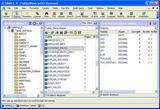
Screenshot of the Active Query Builder

The Active Query Builder is a component of the Visual Query Builder plus the SQL Query Parser, or the SQL Text Editor and the metadata manipulation resource. It provides easy access to data for fine users and allows the programmer to have a clear view of the data bank layout.

It helps beginners in SQL and experienced query writers work with SQL queries like a chef. It makes all SQL resources easy to use and provides professional users with the most powerful tools to create and edit SQL queries.

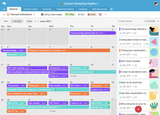
Office 365 management made simple.

Advantage Database Server offers a growth path for integrated database applications, enabling applications to utilize an enterprise-class feature set.

Aiven

Manufacturer

AllegroGraph Enterprise

Relational database compatible with MySQL and PostgreSQL, built for the cloud. Performance and availability of commercial-grade databases at one-tenth the cost.

Amazon Aurora is a MySQL and PostgreSQL-compatible relational database built for the cloud that combines the performance and availability of traditional enterprise databases with the simplicity and cost-effectiveness of open source databases.

Amazon Aurora is up to five times faster than standard MySQL databases and three times faster than standard PostgreSQL databases. The service offers the security, availability, and reliability of commercial databases at one-tenth the cost. Amazon Aurora is managed by Amazon Relational Database Service (RDS), which automates time-consuming administrative tasks such as hardware provisioning, database configuration, patching, and backups.

Amazon Aurora offers a self-healing, fault-tolerant distributed storage system that automatically scales up to 128 TB per database instance. Amazon Aurora offers high levels of performance and availability, with up to 15 low-latency read replicas, point-in-time recovery, continuous backup to Amazon S3, and replication across three Availability Zones (AZs).

Access the Amazon RDS Management Console to create your first Aurora database instance and begin migrating MySQL and PostgreSQL databases.

en_US

Filters

Categories